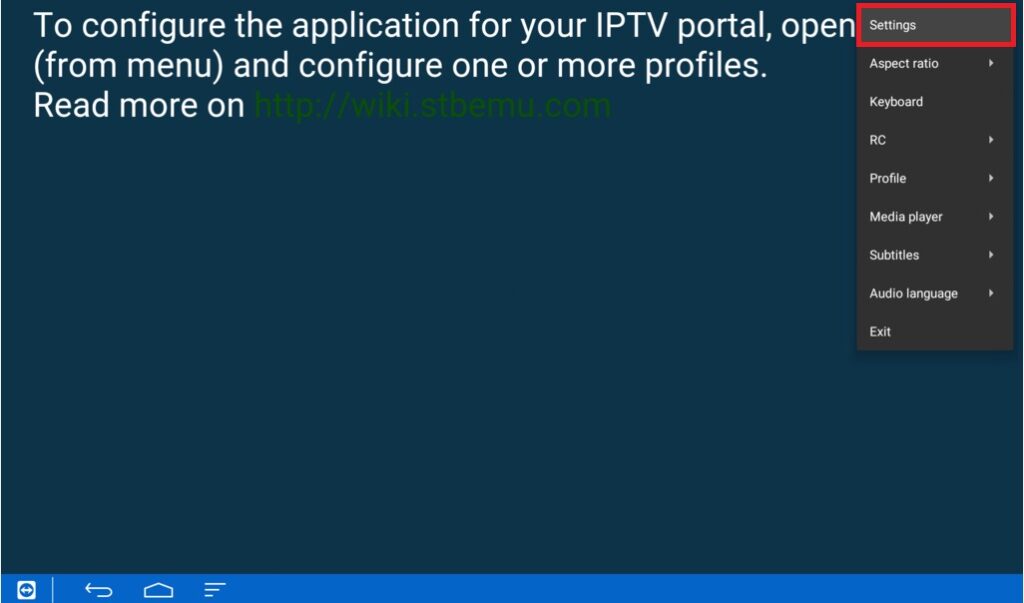
Step 1= Select the menu option and press the “Down OK” button on your remote to go down and select settings
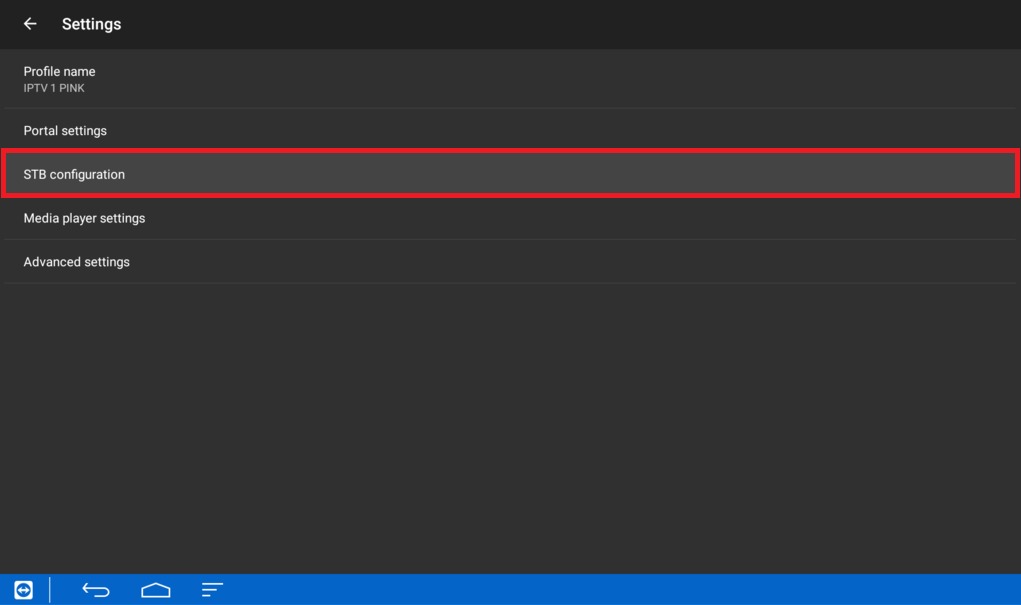
Step 2= Click on “Stb configuration”
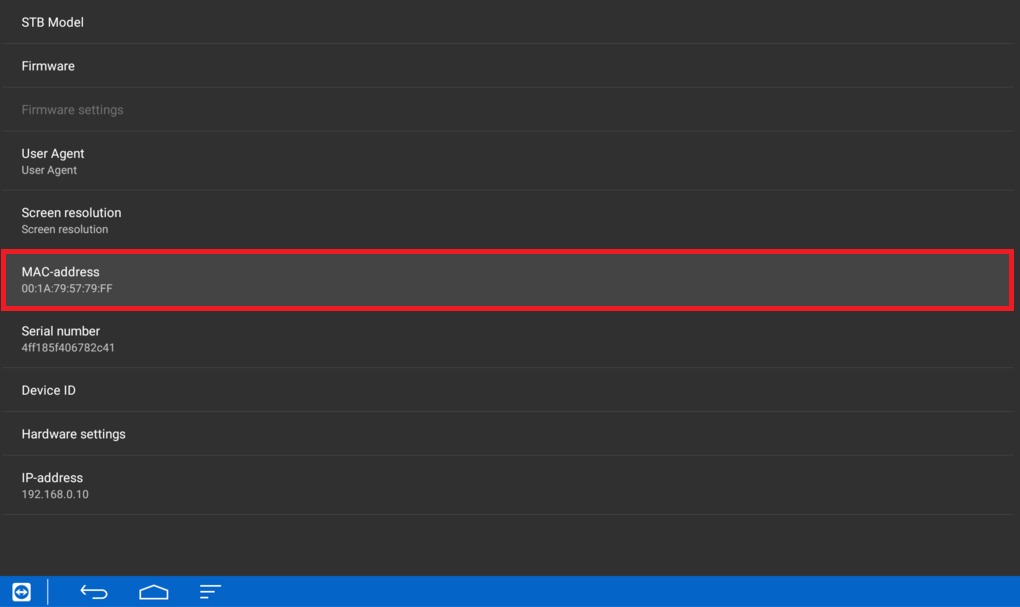
Step 3= From the place mentioned in the picture above find your mag address
2. Stage (Setup):
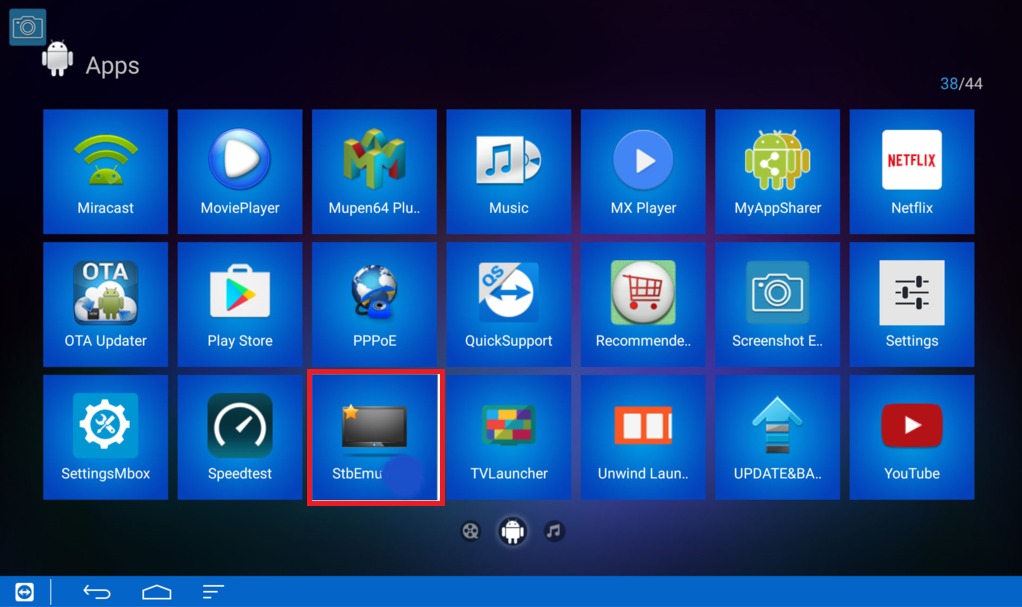
Step 1= Download the app and open it
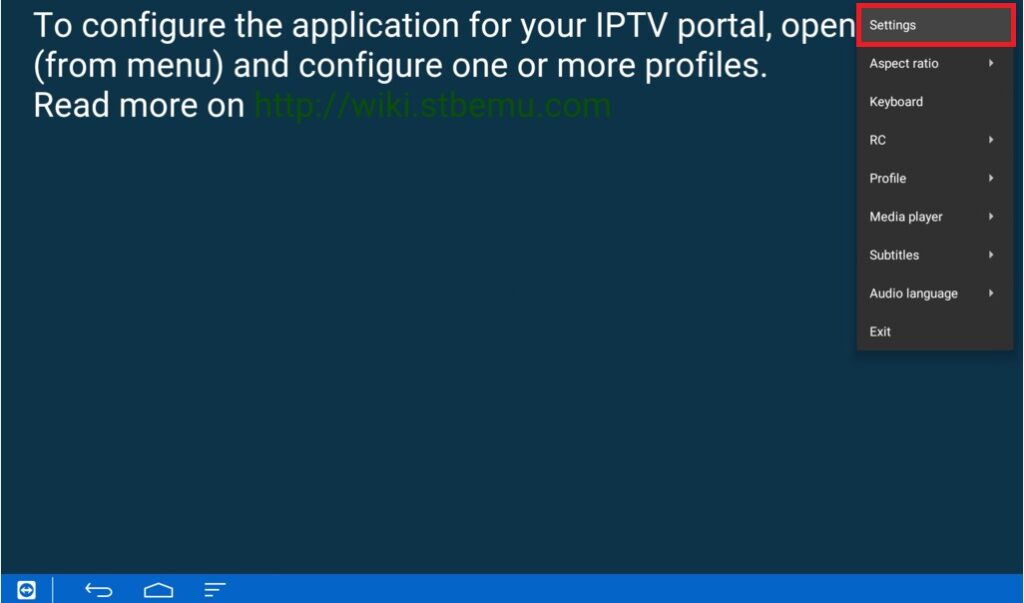
Step 2= Select the menu option and press the “Down OK” button on your remote to go down and select settings
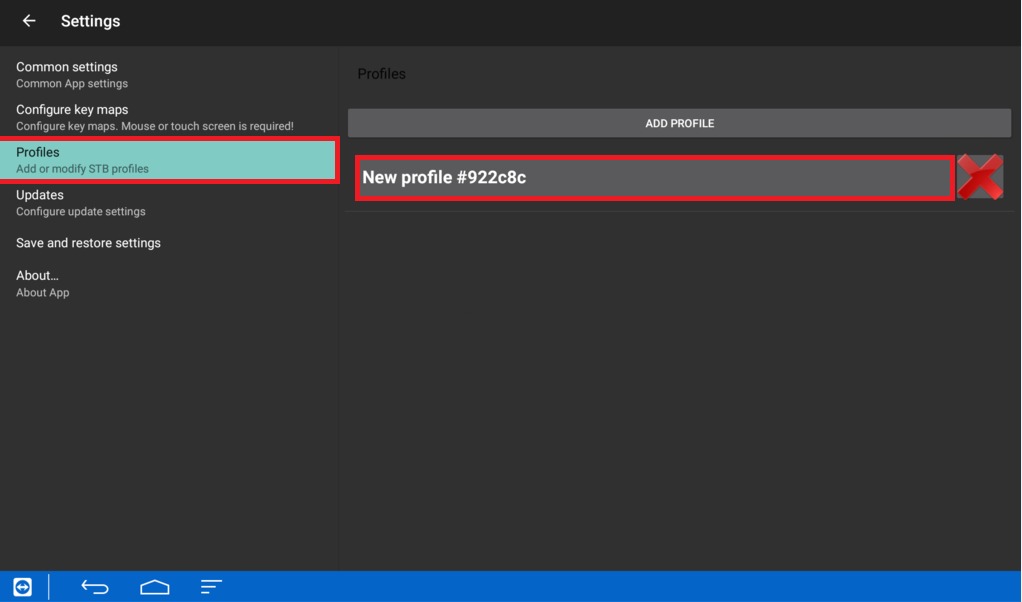
Step 3= Click on “Profiles” Then click on “New Profile”
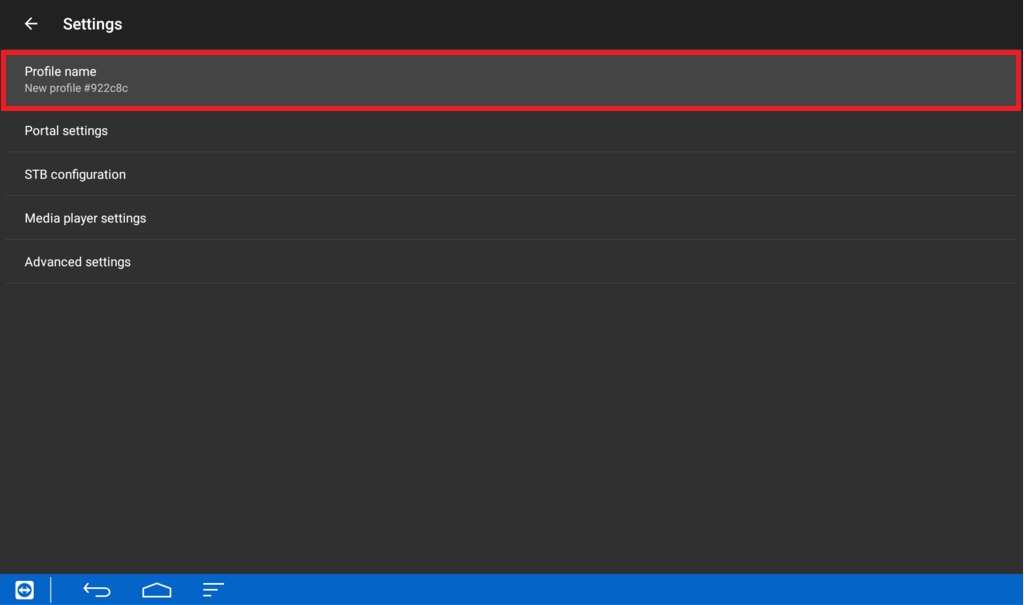
Step 4= Click on ” profile name ”
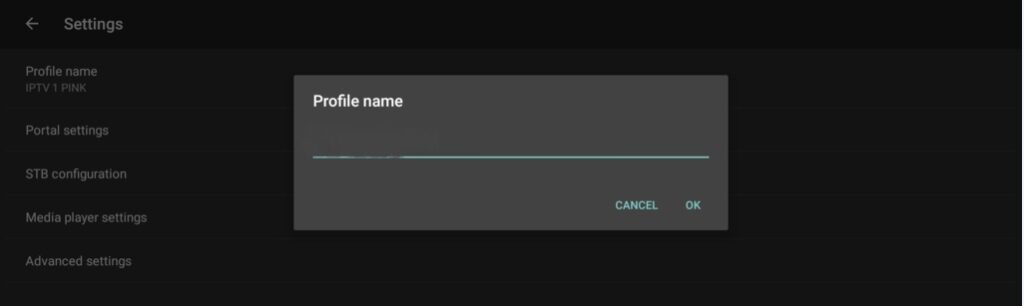
Step 5= In the “profile name” section, type Cosmos Server
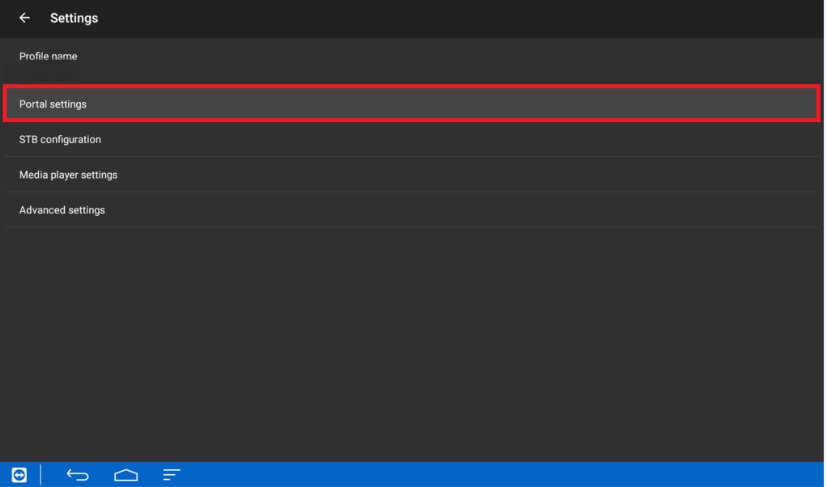
Step 7= Click on “Portal settings”
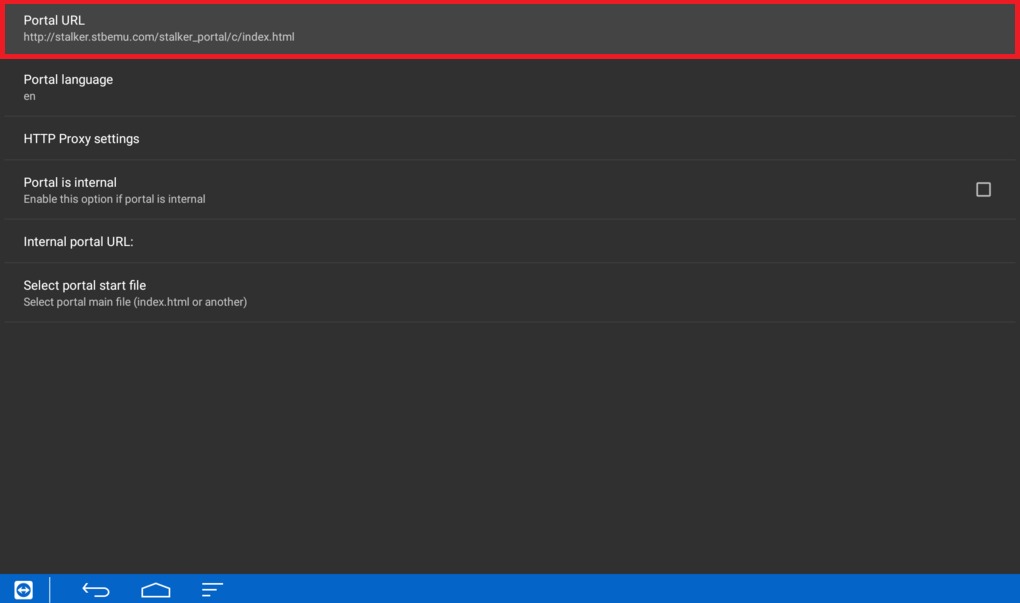
Step 8= Click on ” Portal Url”
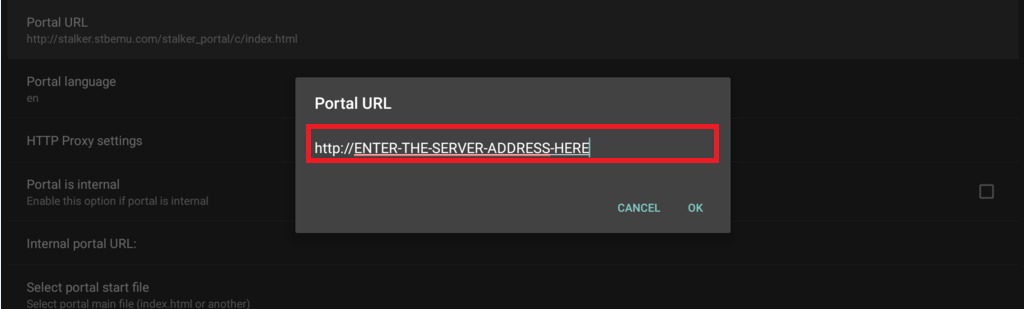
Step 9= Delete the default url and enter the portal url we sent you, select ok, then click back
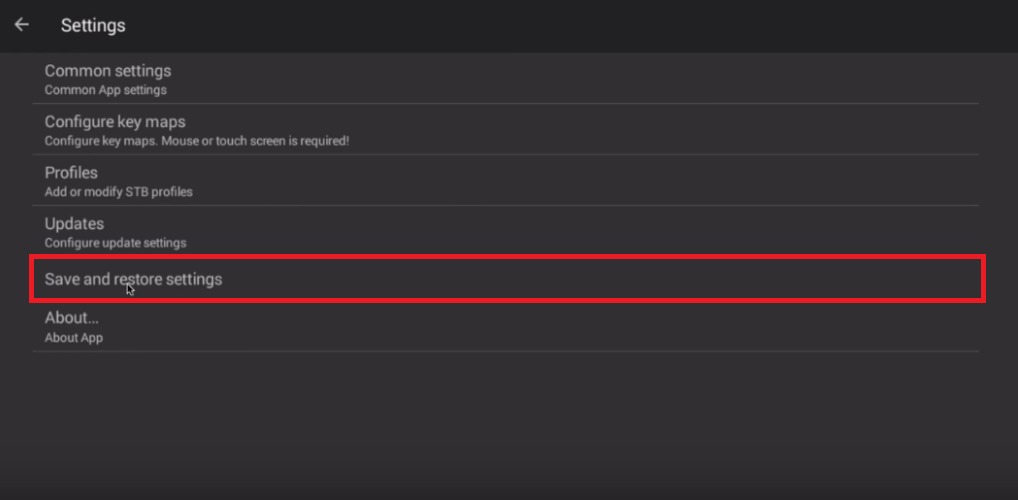
Step 10: Head back and select “Save and restore settings”.
Step 11= Stb emu app will now start connecting to the server
As you have seen, opting for an IPTV service is an excellent option. With ONETV SERVICES
the options are very wide (from popular local channels, to a wide variety of international ones). You can find our channel lists at this link. We hope to have solved our doubts and to be an accessible option.
Enjoy your favorite content in an accessible way! Don’t hesitate to contact ONETV SERVICES. We offer thebest IPTV service and varied on demand content at affordable prices and with more than 2,000 options and compatibility on various devices.
Check our available plans. Interested in reselling? Find out how to do it here.
You are now leaving..
You will be redirected to Whatsapp to finish the process with one of our agents.
If you don't use Whatsapp, please Contact us here via Email or Live Chat.
We use cookies to ensure that we give you the best experience on our website and to personalize content and ads, provide social media features, and analyze our traffic. The cookies cannot identify you. If you continue to use this site we will assume that you are happy with it. If you do not agree, you must discontinue using the Website and all services and features therein.
This website uses cookies to improve your experience while you navigate through the website. Out of these, the cookies that are categorized as necessary are stored on your browser as they are essential for the working of basic functionalities of the website. We also use third-party cookies that help us analyze and understand how you use this website. These cookies will be stored in your browser only with your consent. You also have the option to opt-out of these cookies. But opting out of some of these cookies may affect your browsing experience.
Necessary cookies are absolutely essential for the website to function properly. These cookies ensure basic functionalities and security features of the website, anonymously.
Cookie
Duration
Description
cookielawinfo-checkbox-analytics
11 months
This cookie is set by GDPR Cookie Consent plugin. The cookie is used to store the user consent for the cookies in the category "Analytics".
cookielawinfo-checkbox-functional
11 months
The cookie is set by GDPR cookie consent to record the user consent for the cookies in the category "Functional".
cookielawinfo-checkbox-necessary
11 months
This cookie is set by GDPR Cookie Consent plugin. The cookies is used to store the user consent for the cookies in the category "Necessary".
cookielawinfo-checkbox-others
11 months
This cookie is set by GDPR Cookie Consent plugin. The cookie is used to store the user consent for the cookies in the category "Other.
cookielawinfo-checkbox-performance
11 months
This cookie is set by GDPR Cookie Consent plugin. The cookie is used to store the user consent for the cookies in the category "Performance".
viewed_cookie_policy
11 months
The cookie is set by the GDPR Cookie Consent plugin and is used to store whether or not user has consented to the use of cookies. It does not store any personal data.
Functional cookies help to perform certain functionalities like sharing the content of the website on social media platforms, collect feedbacks, and other third-party features.
Performance cookies are used to understand and analyze the key performance indexes of the website which helps in delivering a better user experience for the visitors.
Analytical cookies are used to understand how visitors interact with the website. These cookies help provide information on metrics the number of visitors, bounce rate, traffic source, etc.
Advertisement cookies are used to provide visitors with relevant ads and marketing campaigns. These cookies track visitors across websites and collect information to provide customized ads.


 English
 Arabic
 English
 French
 German
 Italian
 Portuguese
 Spanish